SEO Content Audit: A Practical Guide to Improving Your Website
An SEO content audit is a structured review of the pages on a website to understand how well they serve users and perform in search. It helps identify content that is valuable, underperforming, outdated, duplicated or no longer relevant. The findings can guide decisions about what to keep, improve, combine or remove.
Rather than adding more pages for the sake of it, an audit helps make better use of the content already published. This can improve the quality and usefulness of a website while supporting its visibility in organic search.
What Is an SEO Content Audit?
An SEO content audit assesses how individual pages contribute to a website’s goals. It considers both search performance and the experience the page provides to visitors. Depending on the website, the audit may cover blog articles, landing pages, product descriptions, guides, category pages and other indexable content.
A typical audit looks at factors such as:
- Organic clicks, impressions and rankings
- Traffic and engagement
- Conversions or other meaningful outcomes
- Search intent and topical relevance
- Content accuracy, quality and freshness
- Internal links and links from other websites
- Indexing and technical issues
- Duplicate or overlapping pages
Why Carry Out a Content Audit?
Websites grow over time. New pages are published, products change, and information that was once accurate can become out of date. Without regular review, a site can accumulate pages that compete with one another, provide little value or no longer reflect the needs of its audience.
A content audit can help a business to:
- Improve useful pages: Find pages with potential and strengthen their accuracy, coverage, structure or search targeting.
- Reduce content overlap: Identify pages that target similar topics and may be competing for the same searches.
- Remove outdated information: Update or retire pages that are no longer trustworthy or relevant.
- Improve the user journey: Make it easier for visitors to find related information and take the next step.
- Prioritise resources: Focus content work on pages with the greatest potential value.
- Support business goals: Check whether content attracts the right audience and contributes to enquiries, sales or other outcomes.
How to Conduct an SEO Content Audit
Set Clear Objectives
Begin by deciding what the audit needs to achieve. A large website may require a broad review, while a smaller project could focus on a particular section, such as service pages or articles that have lost traffic.
Objectives might include improving organic visibility, increasing qualified leads, refreshing key information or resolving keyword cannibalisation. Clear objectives help determine which data to collect and how to assess each page.
Create a Complete URL List
Build an inventory of the pages that should be reviewed. A website crawl can reveal many URLs, but it is useful to compare this list with the XML sitemap, analytics data and Google Search Console. This can help uncover pages that are not linked clearly from the site or URLs that appear in search data but are missing from the crawl.
For each URL, record useful details such as the page title, page type, canonical URL, indexability and last updated date. Exclude URLs that do not represent content intended to appear in search, such as internal search results or tracking-parameter variants, unless they are part of the investigation.
Gather Performance and Business Data
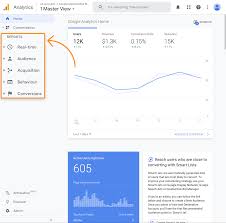
Combine several sources of information rather than relying on a single metric. Search Console can show impressions, clicks, click-through rates and average positions for organic search results. Analytics platforms can provide information about visits, engagement and conversions. A crawling tool can help identify technical and linking issues.
Where possible, include business data such as enquiries, purchases, downloads or assisted conversions. A page with modest traffic may still be highly valuable if it attracts relevant visitors who are likely to take action.
Assess Each Page’s Purpose and Search Intent
For every page, identify its intended audience, purpose and primary topic. Then consider whether the content meets the needs behind the searches it is targeting. Search intent may be informational, navigational, commercial or transactional, and the format of the page should suit that intent.
For example, a page targeting a comparison query may need clear differences between options, while a page aimed at someone seeking instructions should provide practical, easy-to-follow guidance. A mismatch between the page and the searcher’s needs can limit performance even when relevant keywords appear in the copy.
Review Quality, Accuracy and Usefulness
Check whether the content is clear, original and genuinely helpful. Look for gaps in the explanation, unsupported claims, unnecessary repetition, outdated references and information that is difficult to understand. Confirm that the page demonstrates appropriate expertise for its subject and that any important claims are supported by reliable sources.
Content should be written for people first. Adding keywords repeatedly or expanding a page with material that does not help the reader is unlikely to improve its quality. Search terms should be used naturally, with the main focus on answering the audience’s questions.
Check On-page and Technical Elements
Review the page title, meta description, headings, image descriptions, canonical tag and structured data where relevant. These elements should accurately represent the page and support a clear, accessible experience. Also check whether the page can be crawled and indexed as intended.
Look for issues such as broken links, redirect chains, slow-loading pages, duplicate titles, missing canonical tags and accidental noindex directives. Technical problems can prevent strong content from being discovered or displayed correctly in search results.
Review Internal and External Links
Internal links help visitors and search engines navigate a website and understand how its pages relate to one another. Check whether important pages receive relevant internal links and whether links use descriptive, natural anchor text. Identify orphan pages that have few or no internal links.
External links can also support a page by directing readers to useful sources. Check that links work, lead to trustworthy destinations and provide genuine value. Review the quality and relevance of links from other websites as part of the wider assessment, while avoiding decisions based solely on a link-count metric.
Choose an Action for Each Page
Once the data and editorial review are complete, assign a practical next step to each URL. Common actions include:
- Keep: The page is useful, accurate and performing adequately.
- Update: The page has value but needs refreshed facts, examples, links or guidance.
- Improve: The page needs more substantial work to meet user needs or target the right search intent.
- Consolidate: Similar pages should be combined into one stronger resource, with suitable redirects where necessary.
- Redirect: A page has a clear replacement or successor.
- Remove: The page has no continuing purpose and should not remain available.
Do not remove a page simply because it has little organic traffic. It may support customers, attract referral visits or serve a legal, operational or navigational purpose. Consider the full role of the page before making changes.
How to Prioritise Audit Findings
Not every page can be improved at once. Prioritise work by considering the potential benefit, the effort required and the risk of leaving the issue unresolved.
Pages with strong impressions but low click-through rates may benefit from a clearer title and description. Pages that rank close to the top of search results but lack important information may be good candidates for a content update. Pages with declining performance should be investigated to determine whether the cause is a change in search demand, competition, technical issues or outdated content.
It is also useful to prioritise pages that support key business objectives. A service page that attracts relevant prospective customers may deserve attention before a low-value article, even if the article receives more visits.
Common Content Audit Mistakes
- Judging pages on traffic alone: Traffic does not reveal whether visitors are relevant or whether the page contributes to business outcomes.
- Deleting pages too quickly: Removal can cause loss of useful information, links or referral traffic if it is not planned carefully.
- Using arbitrary word counts: A page should be as detailed as needed to meet the reader’s needs, not padded to reach a target length.
- Ignoring search intent: Keyword inclusion cannot compensate for a page that does not answer the searcher’s question.
- Making many changes without tracking them: Keep a record of updates so that changes in performance can be interpreted accurately.
- Expecting instant results: Search performance can take time to respond, and results may be affected by factors beyond the content itself.
How Often Should a Website Have a Content Audit?
There is no single schedule that suits every website. A small site with stable information may need a full audit less frequently than a large publisher or an e-commerce business with changing products. High-impact pages should be checked whenever the underlying information changes, while broader audits can be planned periodically.
Regular monitoring can also identify problems between full audits. Reviewing performance trends, broken links and important page updates helps keep content accurate and useful throughout the year.
Conclusion
An SEO content audit is more than a list of rankings and traffic figures. It is a way to understand whether each page is accurate, useful, discoverable and aligned with both audience needs and business goals.
By gathering reliable data, reviewing content quality and assigning a clear action to every page, organisations can make informed improvements to their websites. A thoughtful audit helps focus effort where it is most likely to improve the experience for visitors and support sustainable organic search performance.
Enhancing Your Website: 8 Benefits of an SEO Content Audit
- Improves content quality
- Identifies outdated information
- Reveals content gaps
- Reduces keyword overlap
- Strengthens internal linking
- Supports better search visibility
- Prioritises high-value updates
- Improves the user experience
Challenges of SEO Content Audits: Time, Tools, Delayed Results, and Risk of Valuable Content Loss
- Can be time-consuming for large websites.
- May require specialist tools and expertise.
- Results can take time to appear.
- Poor decisions may remove valuable content.
Improves content quality
An SEO content audit improves content quality by highlighting pages that are outdated, unclear, incomplete or no longer meet readers’ needs. It helps identify where information should be refreshed, explanations strengthened and unnecessary repetition removed. The result is more accurate, useful and engaging content that better serves your audience and supports your website’s search performance.
Identifies outdated information
An SEO content audit helps identify outdated information that could mislead readers or undermine trust in your website. By reviewing facts, statistics, product details, links and references, you can spot what needs updating or replacing. Keeping content accurate and relevant improves the experience for visitors and helps ensure your pages continue to meet their needs.
Reveals content gaps
An SEO content audit can reveal content gaps by showing where your website fails to answer the questions your audience is asking. By comparing existing pages with relevant search queries, customer needs and competitor coverage, you can spot missing topics, unanswered questions and areas that need clearer or more detailed information. Filling these gaps helps create a more useful experience for visitors and can strengthen your website’s relevance across the topics that matter to your business.
Reduces keyword overlap
An SEO content audit can reduce keyword overlap by identifying pages that target the same or very similar search terms. When several pages compete for the same topic, search engines may struggle to determine which one is most relevant, potentially weakening their visibility. Reviewing these pages makes it easier to clarify each page’s purpose, refine its target keywords or combine overlapping content into one stronger resource.
Strengthens internal linking
An SEO content audit can strengthen internal linking by revealing pages that are difficult to find, poorly connected or missing links to related content. By reviewing the site’s structure, you can add relevant links between useful pages, guide visitors to the information they need and help search engines understand how topics across your website are related. This can improve navigation and ensure that important pages receive appropriate visibility.
Supports better search visibility
An SEO content audit can support better search visibility by revealing which pages need updating, strengthening or consolidating. Reviewing search performance, relevance and content quality helps ensure each page matches what people are looking for and makes it easier for search engines to understand its purpose. By addressing outdated information, gaps and overlapping content, a website can improve its chances of appearing for relevant searches.
Prioritises high-value updates
An SEO content audit helps prioritise high-value updates by revealing which pages have the greatest potential to improve search visibility and support business goals. For example, a page that already attracts relevant visitors but needs clearer information or an updated title may be a better investment than creating new content from scratch. This focused approach helps teams use their time and resources where they are most likely to make a meaningful difference.
Improves the user experience
An SEO content audit can improve the user experience by revealing pages that are confusing, outdated, difficult to navigate or missing the information visitors need. By updating content, fixing broken links, improving page structure and connecting related resources with clear internal links, a business can help people find useful answers more easily. This makes the website more helpful and accessible, encouraging visitors to stay engaged and take their next step with confidence.
Can be time-consuming for large websites.
A content audit can be time-consuming, particularly for large websites with hundreds or thousands of pages. Each URL may need to be checked for performance, accuracy, relevance, technical issues and its value to users, making the process resource-intensive. Careful planning, prioritising high-value pages and using suitable auditing tools can help manage the workload, but a thorough review still requires time and attention.
May require specialist tools and expertise.
An SEO content audit may require specialist tools and expertise, which can make it challenging for businesses without dedicated SEO or content teams. Crawling software, analytics platforms and search-performance data can help uncover issues, but interpreting the results accurately takes experience. This may add costs or mean bringing in an external specialist, particularly for large or complex websites.
Results can take time to appear.
One drawback of an SEO content audit is that results can take time to appear. Even after pages have been updated, combined or removed, search engines need time to recrawl and reassess the changes. Rankings and organic traffic may therefore improve gradually rather than immediately, and other factors, such as competition or changing search demand, can also affect performance. This means it is important to set realistic expectations and monitor results over time.
Poor decisions may remove valuable content.
A key drawback of an SEO content audit is that poor decisions can lead to valuable content being removed. A page with little organic traffic may still support customers, generate referrals, earn useful links or contribute to conversions over time. Removing it without considering its wider purpose can weaken the user journey and harm website performance. Before deleting a page, assess its full value and consider whether updating, consolidating or redirecting it would be a better option.