How to Optimise Your Content for Readers and Search Engines
Creating useful content is only the first step. To make sure it reaches the right people and gives them a good experience, it needs to be easy to find, understand and act on. Content optimisation brings these goals together: it improves the usefulness and clarity of a page while helping search engines understand what it is about.
Start with your audience
Before editing a page, be clear about who it is for and what they need. Consider the questions they are asking, the problems they want to solve and the level of knowledge they already have. Content that responds directly to a genuine need is more likely to be helpful than a page written simply to include popular search terms.
Use customer enquiries, conversations with sales or support teams, and relevant search queries to identify useful topics. Then decide what a reader should know or be able to do after reading the page.
Make the purpose clear
Each page should have a clear focus. A specific purpose makes it easier to organise information and helps readers quickly decide whether they are in the right place. If a page tries to cover several unrelated topics, consider splitting it into separate, more focused pages.
Write a descriptive title and opening paragraph that explain what the page offers. Avoid vague introductions that delay the answer. If readers are looking for instructions, give them a clear route to the steps they need.
Use keywords naturally
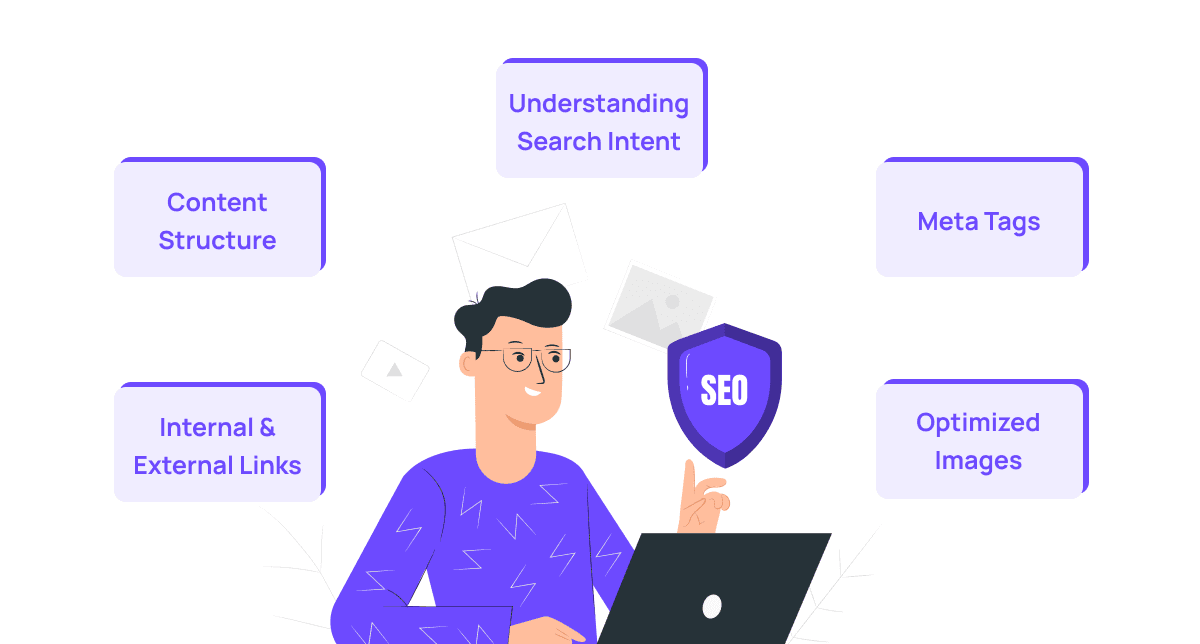
Keywords can help you understand how people describe a topic, but they should not dictate every sentence. Include relevant terms where they fit naturally, such as in the page title, headings and body copy. Use related phrases and everyday language too, since people may search for the same idea in different ways.
Do not repeat a keyword unnaturally or add it where it makes the writing awkward. Search engines aim to connect people with useful results; clear, relevant content is more valuable than a page crowded with search terms.
Structure content for easy reading
Most people scan a page before deciding which parts to read. Make that easier by using:
- Descriptive headings that show what each section covers
- Short paragraphs focused on one main idea
- Lists for steps, options or key points
- Plain language and clear explanations of specialist terms
Use headings in a logical order. A page should have one main heading, followed by subheadings that organise the content into meaningful sections. A clear structure supports both readers and assistive technologies.
Give accurate, useful information
Optimised content should answer the reader’s question thoroughly without adding unnecessary detail. Check facts, dates, names and links before publishing. Where a topic is complex, explain it in manageable stages and link to reliable sources or more detailed information when appropriate.
Trust matters. Be clear about who created or reviewed the content, particularly when the subject could affect someone’s health, finances or safety. Avoid claims that cannot be supported.
Improve the on-page experience
Content is part of the overall experience of a website. Make sure pages load well on mobile devices, links work and important information is not hidden behind confusing layouts. Add descriptive alternative text to images that convey information, and use meaningful link text so people know where a link will take them.
Page titles and meta descriptions should accurately summarise the content. They may appear in search results, so make them distinctive and helpful rather than misleading. A compelling description can encourage the right person to visit, but it should reflect what the page actually contains.
Use internal links thoughtfully
Link to other relevant pages on your website when they help readers explore a topic or complete a task. For example, an introductory article might link to a detailed guide or a related service page. Use descriptive link text instead of labels such as “click here”.
Internal links also help search engines discover and understand the relationships between pages. Keep links relevant and avoid adding them purely for the sake of it.
Review and update existing content
Optimisation is not limited to new pages. Review existing content to find outdated information, broken links, unclear sections and pages that no longer match the audience’s needs. Update facts and examples, improve the structure, and combine overlapping pages where that would make the information clearer.
Analytics can help identify pages that attract visitors but do not lead to useful outcomes. Search data can show which queries bring people to a page. Use these signals alongside feedback from real users; numbers alone cannot explain why a page is or is not working.
Measure what matters
Choose measures that reflect the purpose of the content. These might include relevant search visits, newsletter sign-ups, enquiries, completed tasks or feedback from readers. A high number of visits is not necessarily a sign of success if people cannot find the information they need.
Make changes thoughtfully and review the results over time. Search performance can shift for many reasons, so avoid drawing conclusions from a brief fluctuation.
A practical approach to content optimisation
- Identify the audience and the need the page should meet.
- Choose one clear purpose for the page.
- Organise the information with descriptive headings.
- Write in plain, natural language and answer the main question early.
- Add relevant search terms, links and page details where they genuinely help.
- Check accuracy, accessibility and mobile usability.
- Review performance and update the page as needs change.
Effective content optimisation is an ongoing process, not a one-off trick. By putting readers first, structuring information clearly and reviewing pages regularly, organisations can create content that is easier to find, more useful to read and better aligned with its purpose.
8 Essential Tips for Optimising Content Effectively
- Research your audience’s needs and search habits.
- Use clear, descriptive headings.
- Place your main keyword naturally in the title and opening.
- Break up text with short paragraphs and bullet points.
- Add useful links to relevant pages and trusted sources.
- Write descriptive alt text for meaningful images.
- Make pages easy to read on mobile devices.
- Review performance and update content regularly.
Research your audience’s needs and search habits.
Researching your audience’s needs and search habits helps you create content that answers the questions people are actually asking. Find out what challenges they face, what language they use and which terms they search for, drawing on customer feedback, support enquiries and search data. Use these insights to shape clear, relevant content that meets their needs without forcing keywords into the text.
Use clear, descriptive headings.
Use clear, descriptive headings to help readers understand what each section covers and find the information they need quickly. A heading such as “How to prepare for your appointment” is more useful than a vague label like “Next steps”. Organise headings in a logical order, keep them concise and make sure they accurately reflect the content beneath them. This improves readability and makes the page easier to navigate, including for people using screen readers.
Place your main keyword naturally in the title and opening.
Place your main keyword naturally in the title and opening paragraph so readers and search engines can quickly understand what the page is about. Keep the wording clear and relevant: avoid forcing the keyword into a sentence where it sounds awkward, and make sure the opening quickly explains what readers will gain from the content.
Break up text with short paragraphs and bullet points.
Break up long blocks of text into short, focused paragraphs and use bullet points to make key information easy to scan. This gives readers clear pauses, helps them find the details they need and makes your content more inviting—especially on mobile screens. Use bullet points for related items, steps or benefits, and keep each point concise.
Add useful links to relevant pages and trusted sources.
Add useful links to relevant pages on your website and to trusted external sources. Internal links help readers explore related information, while reliable external sources can support your claims and offer further detail. Use clear, descriptive link text so people know what to expect, and check that every link works and leads to an appropriate page.
Write descriptive alt text for meaningful images.
Write descriptive alt text for meaningful images so people using screen readers can understand the information they convey. Focus on the image’s purpose and relevant details rather than listing everything visible. Keep the wording concise, and avoid starting with “image of” or “picture of”, as screen readers already identify the item as an image. If an image is purely decorative and adds no useful information, use empty alt text so it can be skipped.
Make pages easy to read on mobile devices.
Make your pages easy to read on mobile devices by using clear headings, short paragraphs and concise sentences. Choose a legible font size, leave enough space between sections and make links and buttons easy to tap. Check that images and tables fit smaller screens, and avoid layouts that force readers to zoom or scroll sideways. A quick test on a phone can reveal issues that are easy to miss on a desktop.
Review performance and update content regularly.
Review your content’s performance regularly to see whether it is meeting its goals and answering readers’ needs. Use relevant data, such as search visits, engagement and enquiries, alongside audience feedback to identify what is working and where improvements are needed. Refresh outdated facts, fix broken links and clarify sections that may be confusing. Regular updates help keep content accurate, useful and relevant as your audience’s needs change.